
Running Ubuntu Containers with Hyper-V Isolation on Windows

Dustin Kirkland
on 13 September 2017
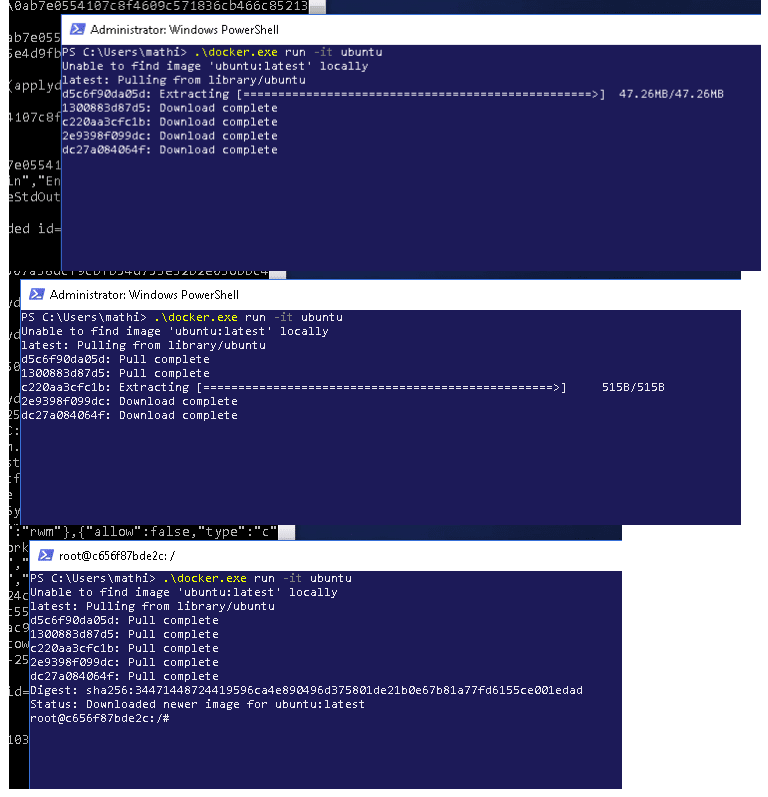
Canonical and Microsoft have teamed up to deliver an truly special experience — running Ubuntu containers with Hyper-V Isolation on Windows 10 and Windows Servers!
We have published a fantastic tutorial at https://ubu.one/UhyperV, with screenshots and easy-to-follow instructions. You should be up and running in minutes!
Follow that tutorial, and you’ll be able to launch Ubuntu containers with Hyper-V isolation by running the following directly from a Windows Powershell:
-
docker run -it ubuntu bash
Cheers!
Dustin
Talk to us today
Interested in running Ubuntu in your organisation?
Newsletter signup
Related posts
Building an open source chain of trust: new research uncovers key blockers and ways forward
Canonical is pleased to share its latest research report, “The open source chain of trust.” Based on a survey of 500 DevOps professionals, the report...
Beyond safety and security: Why automotive open source demands dependability
In the traditional automotive world, teams often work in silos: the cybersecurity experts lock down the ports, the quality assurance teams hunt for bugs, and...
DirtyClone Linux kernel local privilege escalation vulnerability fixes available
On June 25, 2026, JFrog published their research into CVE-2026-43503, referring to the vulnerability as DirtyClone. The vulnerability had previously been...